ClientIQ by ReportingMSP
The only Microsoft 365 revenue scanner that never connects to your clients' systems.
Discover unused licences, Copilot adoption gaps, and security upsells across every tenant. Runs entirely on your machine. No connectors required. No client data leaves your network.
Open source. Read-only permissions. No outbound calls. No client data transmitted.
What ClientIQ surfaces in every Microsoft 365 tenant
Unused Licences
Licences assigned to inactive or disabled accounts
Why it matters: Direct cost your client is paying for nothing. A rightsizing conversation or a licence reallocation service.
Copilot Adoption
when licences detectedCopilot licences with low or zero usage over 28 days
Why it matters: Clients not realising value from Copilot are at risk of cancelling. An adoption and training engagement before renewal.
MFA Coverage
Accounts without multi-factor authentication enabled
Why it matters: Every uncovered account is a liability. A security hardening engagement with clear before-and-after metrics.
Secure Score
Current score versus maximum possible score for the tenant
Why it matters: A below-benchmark score is a documented gap. A remediation project with measurable outcomes.
DMARC Status
Whether the domain has a valid DMARC record published
Why it matters: Missing DMARC means email spoofing risk. An email security configuration service with a clear deliverable.
What the report looks like.
A client-ready PDF surfacing every revenue opportunity found in the scan. Ready to share as-is or use as the basis for a conversation.
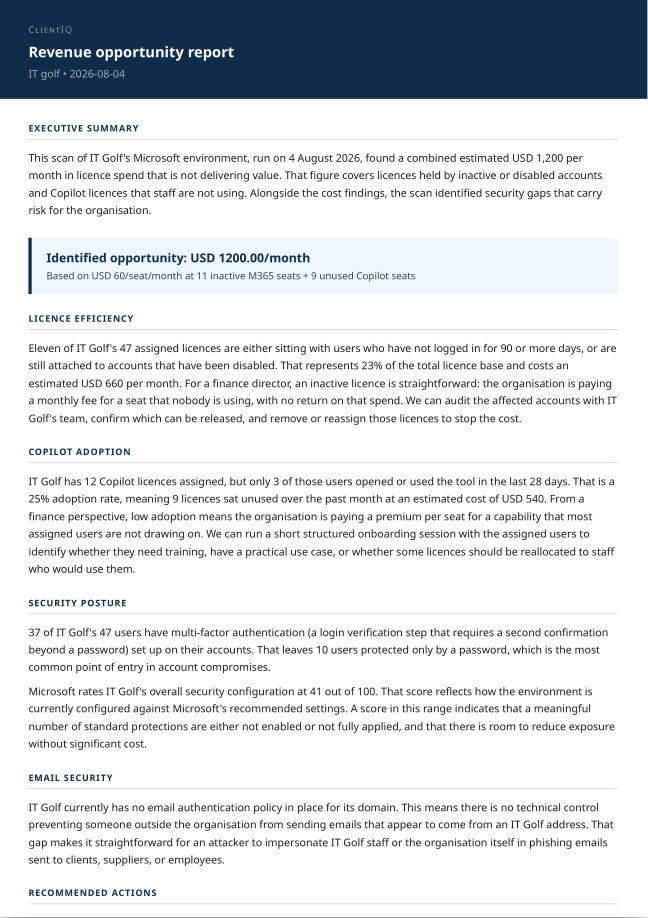
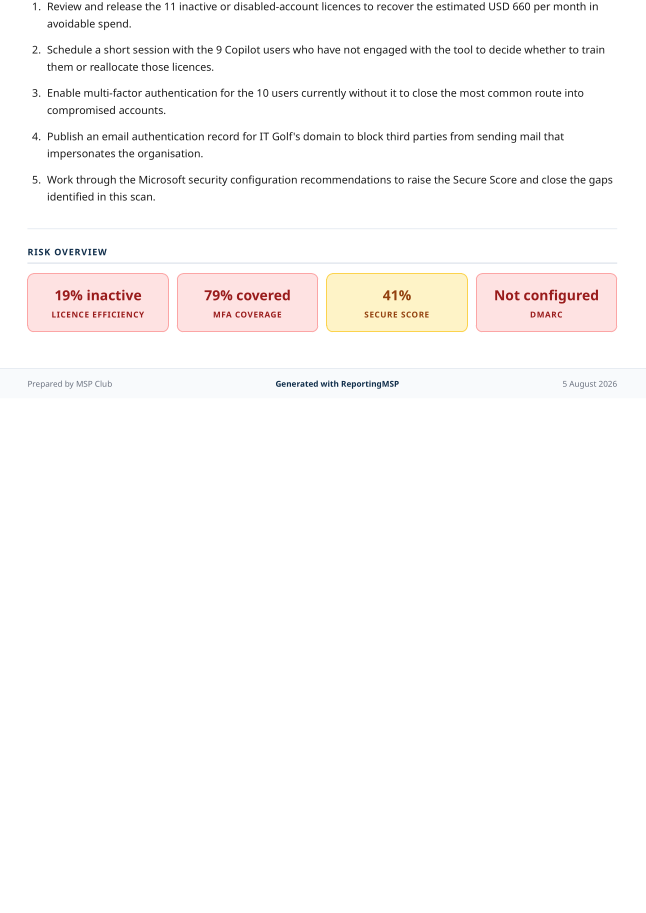
Generated from an anonymised scan summary. No client data is uploaded to produce this report.
Built for MSPs who take data privacy seriously.
Most tools that analyse Microsoft 365 tenants require a direct connector into your client's environment. That means your client's data flows through a third-party system you do not control. ClientIQ works differently. The scanner runs as a PowerShell script on your own machine, using your existing GDAP or CSP read-only credentials. It generates an anonymised summary containing only counts and percentages. No usernames, no email addresses, no domain names. That anonymised file is what you upload to generate the report. We never see your client's data.
- ✓Fully open source. Read the code before you run it.
- ✓Read-only Microsoft Graph permissions only.
- ✓No outbound calls. No telemetry. No phone home.
Three steps to a client-ready revenue report.
Download the free scanner
A single PowerShell script. No installation, no dependencies beyond the Microsoft.Graph module. Open source so you can read every line before running it.
Run it on a tenant locally
The scanner connects to Microsoft 365 using your existing credentials. Everything runs on your machine. The output is an anonymised JSON summary file: counts and percentages only, ready to upload.
Upload and generate
Paste or upload the summary at reportingmsp.com/tools/tenant-audit. ClientIQ analyses the signals and generates a client-ready PDF revenue report in under a minute.
Free Guide
Want the theory before the tool?
The free guide covers the six signals ClientIQ surfaces and how to turn each one into a client conversation.
Find the revenue your clients are leaving on the table.
Free to download. No account required to run the scanner. Sign up only when you are ready to generate your first report. One subscription covers ClientIQ and ReportingMSP service desk reporting.